
Claude Code vs Cursor: The Real 2026 Comparison (And Why "Which Is Best" Is the Wrong Question)
First, an Important Clarification
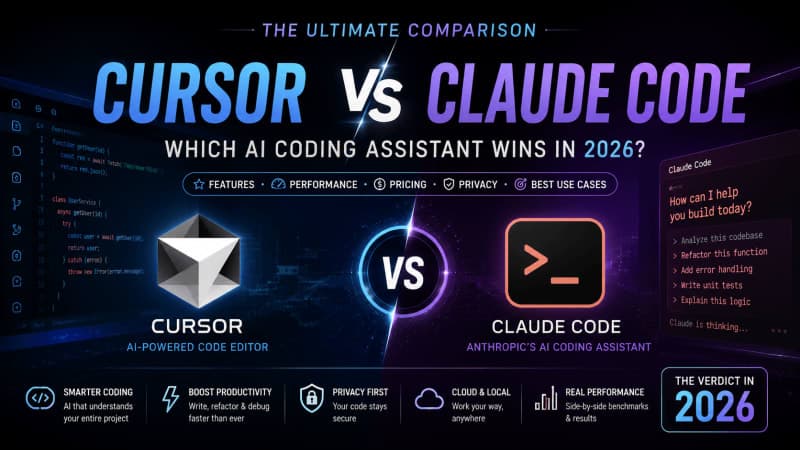
Before comparing anything, it's worth clearing up a common mix-up: Cursor and Claude aren't quite direct competitors in the way most comparisons frame them. Cursor is a code editor — a VS Code fork with AI built directly into it. Claude is an AI model, made by Anthropic, that actually powers a range of coding tools — including inside Cursor itself, since Cursor lets you choose between several underlying models. The more accurate comparison people are usually reaching for is Cursor vs. Claude Code — Anthropic's own terminal-based AI coding tool. That's the comparison this article actually covers.
Two Different Philosophies, Not Just Two Products
The clearest way to understand the difference isn't features — it's workflow philosophy. Cursor is built as an augmented editor: you write code inside a familiar IDE, and AI assists at every step — inline completions, in-editor edits, visual diffs you review and approve. Claude Code is built as an execution agent: you describe a task in the terminal, and it independently reads your codebase, plans a multi-step approach, edits files, runs tests, and iterates — often with far less moment-to-moment supervision.
Neither approach is objectively superior. One puts you in the driver's seat with AI assisting; the other hands more of the wheel to the AI while you supervise at a higher level.
Pricing: Similar Sticker Price, Very Different Billing Mechanics
Both tools start at roughly the same price point — around $20/month for their entry paid tier — but how that money gets spent differs significantly:
- Cursor uses a credit-based system. Its automatic "Auto" mode (which picks a model for you) is effectively unlimited, but manually selecting premium models like Claude's top-tier models depletes a shared credit pool. Some heavy users have reported unexpectedly fast credit depletion when manually selecting expensive models.
- Claude Code uses a usage-window system instead — a rolling 5-hour allowance for burst usage, plus a weekly ceiling. There's no surprise billing, but power users running all-day sessions can hit the ceiling on lower tiers.
Neither system is simply "cheaper" — it depends entirely on your usage pattern. Occasional, lighter use tends to favor Cursor's flexibility; heavy, sustained daily use tends to favor Claude Code's predictable window-based limits.
Context Window and Efficiency
This is one area where the two tools genuinely differ on paper. Claude Code, using Anthropic's top-tier Opus model, offers a full 1-million-token context window at standard rates — letting it hold an entire large codebase or lengthy documentation in memory without losing track of earlier details. Cursor supports multiple models with varying context limits, and some independent testing has suggested its effective usable context can run smaller than its advertised limit once internal processing overhead is factored in.
Independent benchmarks have also reported Claude Code using meaningfully fewer tokens than Cursor to complete equivalent tasks — a real efficiency difference, though the exact multiplier varies depending on which benchmark and task type you look at.
Does One Actually Write Better Code?
Here's where it gets more honest: developers who use both tools daily consistently report that raw code quality between the two isn't the meaningful differentiator anymore. Once a tool clears a baseline competence level, output quality tends to depend far more on how clearly you describe the task than on which tool you picked. The real differences show up in workflow — autonomy level, review process, and how each tool fits into your actual working style — not in some abstract "smarter AI" sense.
Autonomy and Review
This is genuinely a meaningful practical difference. Claude Code can run largely headless — reading a repository, forming a plan, editing multiple files, running tests, and iterating on failures with minimal manual intervention. Cursor's agent mode, by contrast, generates diffs for each file that you review and approve individually before it proceeds. For solo exploratory work or trusted automated pipelines, Claude Code's autonomy can save real time. For teams that want a human reviewing every change before it lands, Cursor's approval-based flow offers tighter control.
What Most Experienced Developers Actually Do
Perhaps the most consistent finding across developer write-ups on this topic: a large and growing number of engineers simply use both, rather than picking one. A common pattern is Cursor for daily, in-editor coding — tab completions, quick inline edits, fast iteration — paired with Claude Code for larger, more autonomous tasks like big refactors, multi-file architecture changes, or long-running background jobs. At a combined cost of around $40/month for both tools' entry tiers, this "use both" approach has become common enough that several 2026 comparisons treat it as the default recommendation rather than an edge case.
So, Which Should You Actually Pick?
If you had to choose just one:
- Choose Cursor if you want AI woven directly into a familiar editor, value reviewing every change before it's applied, want the flexibility to switch between multiple underlying AI models, and prioritize fast in-editor iteration over autonomous task delegation.
- Choose Claude Code if you frequently hand off large, multi-step tasks and want an agent that can work with less hand-holding, need a very large context window for big codebases, or prefer a predictable, non-surprise billing structure for heavy daily use.
There's no universal winner here — and treating this as a battle with one true champion misses what's actually happening in 2026: two different, maturing approaches to AI-assisted development that increasingly get used together rather than as an either/or choice. The right move isn't picking a side — it's trying a focused real task on both and noticing which workflow you naturally reach for again tomorrow.